You don't need a second brain. You just need Markdown.
That's all bare is: a beautiful editor with Git. No graph to grow, no plugins to tend, no second brain to feed.
- Native macOS
- No plugins, no graph, no vault
- Git built in
- No subscription — from $5 at v1
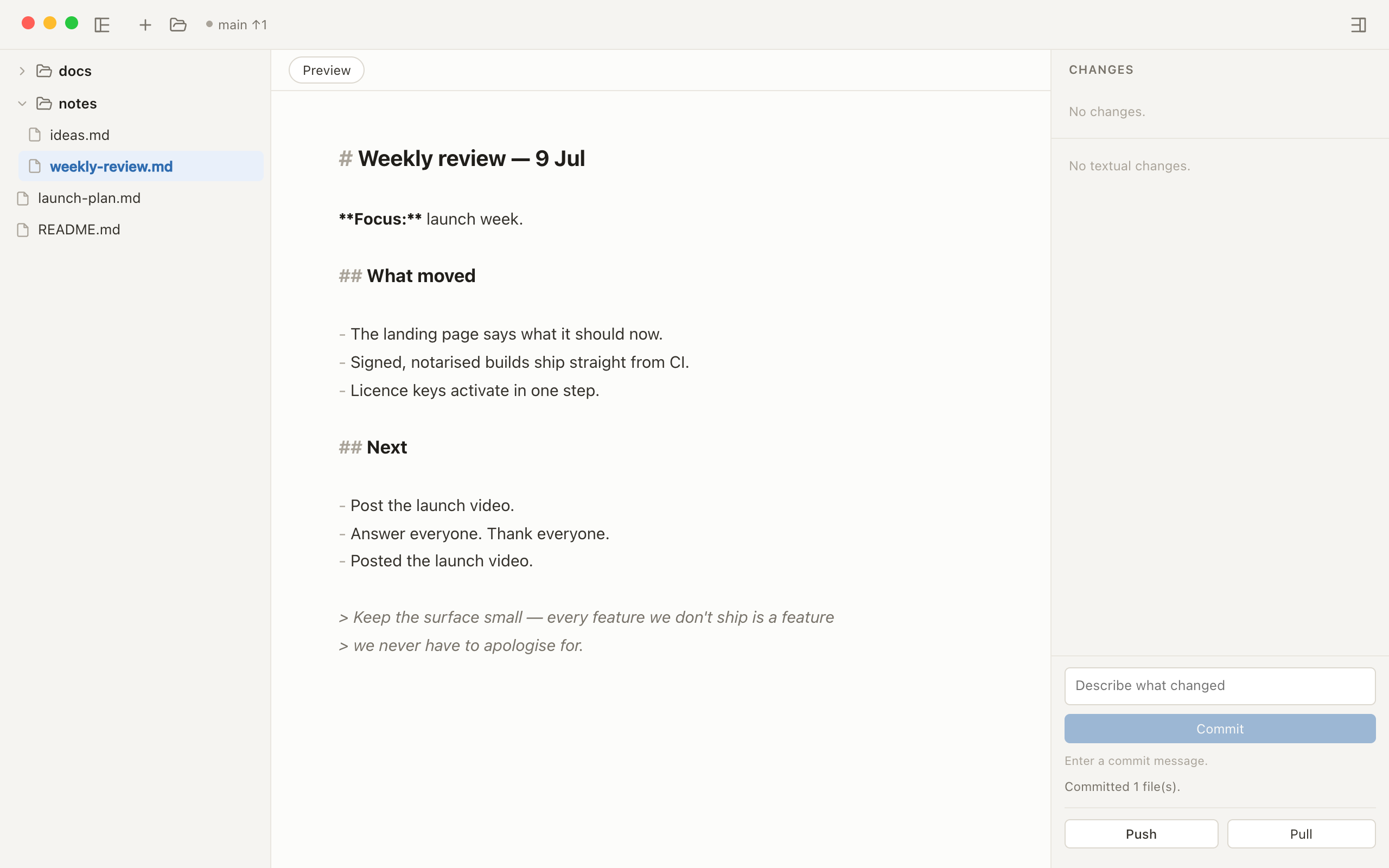
Read
Your own notes,
a pleasure to read.
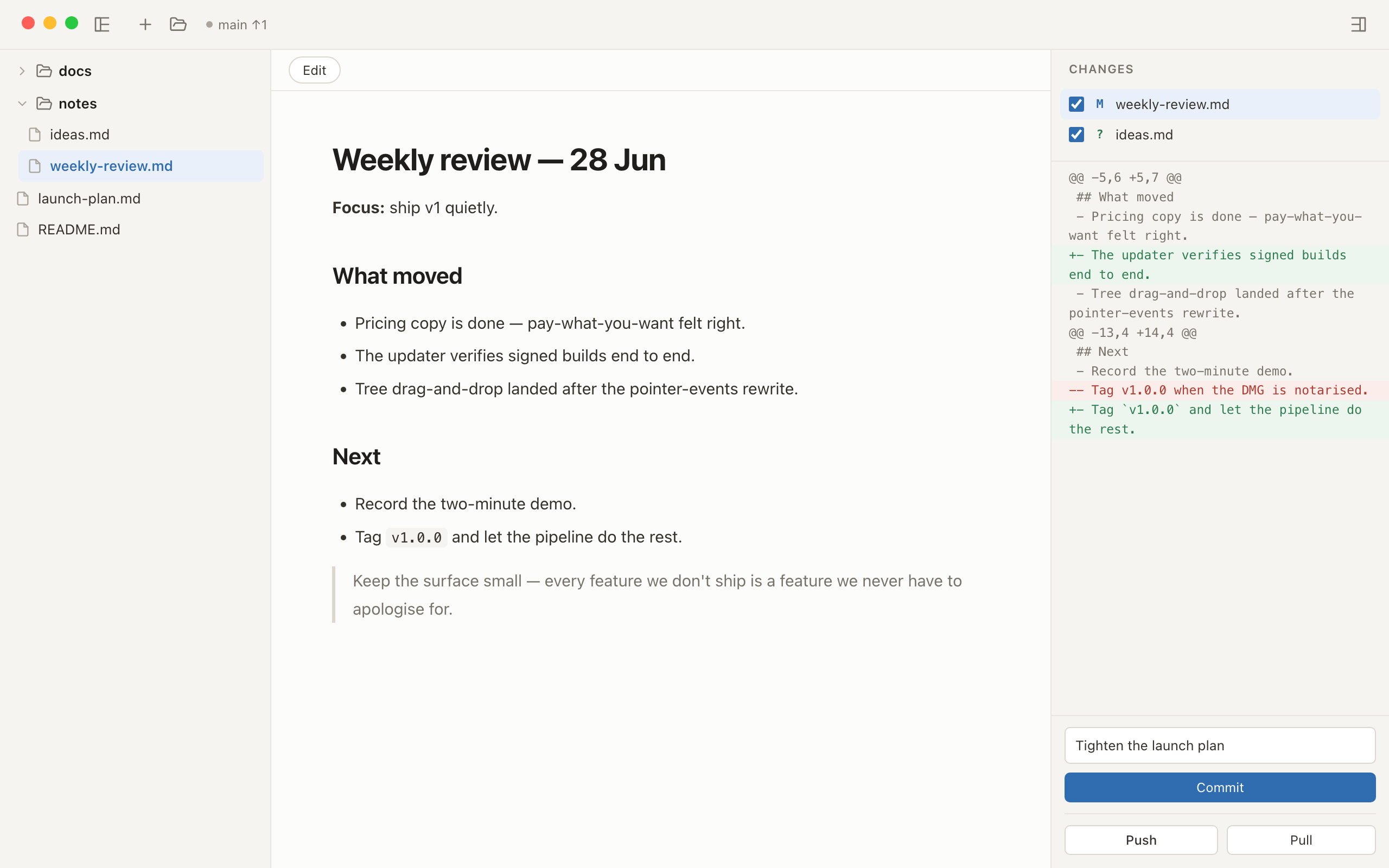
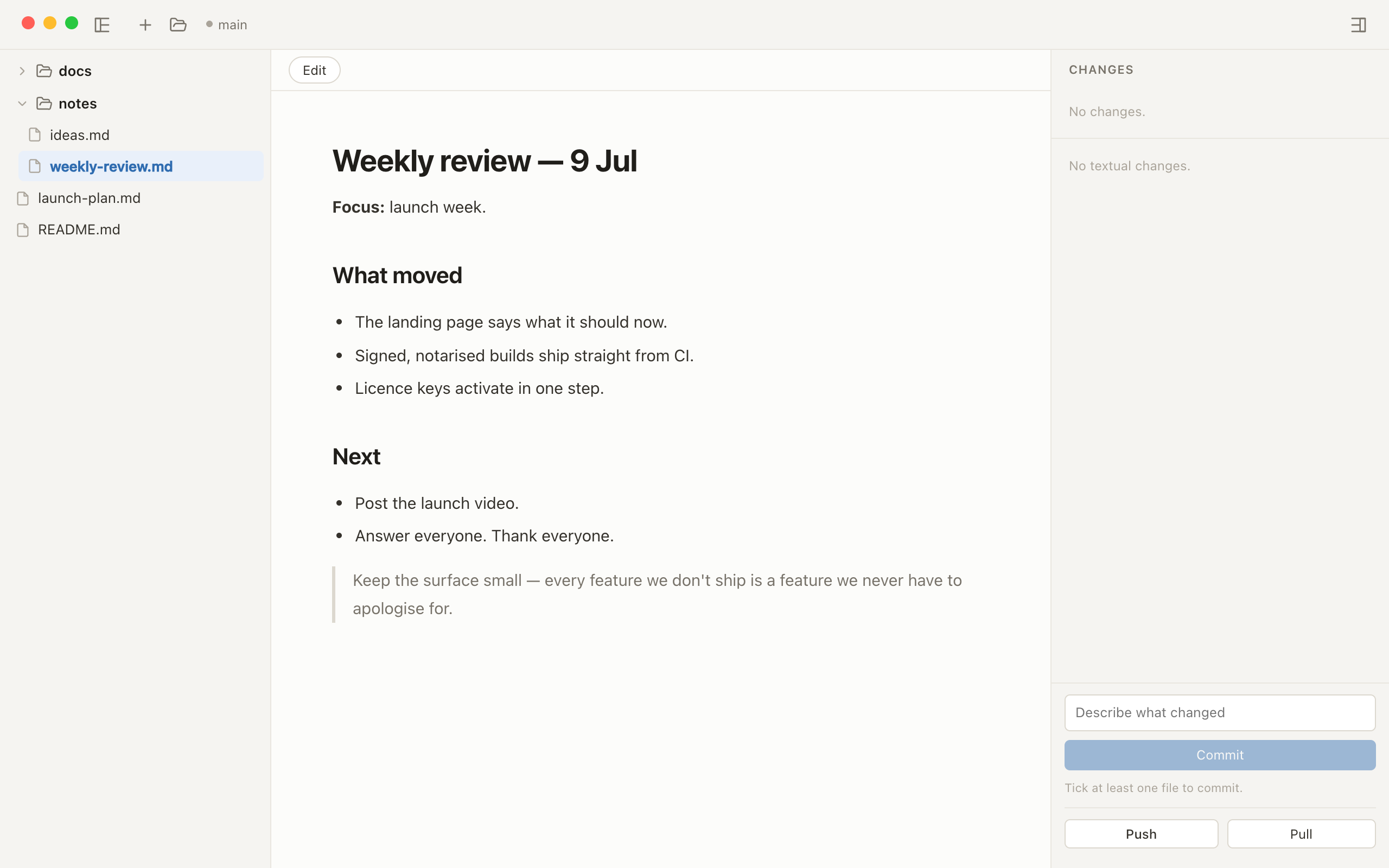
Files open as a clean rendered page — your Markdown in a quiet reading column, exactly as you wrote it.
Edit
Plain files.
Plain Markdown.
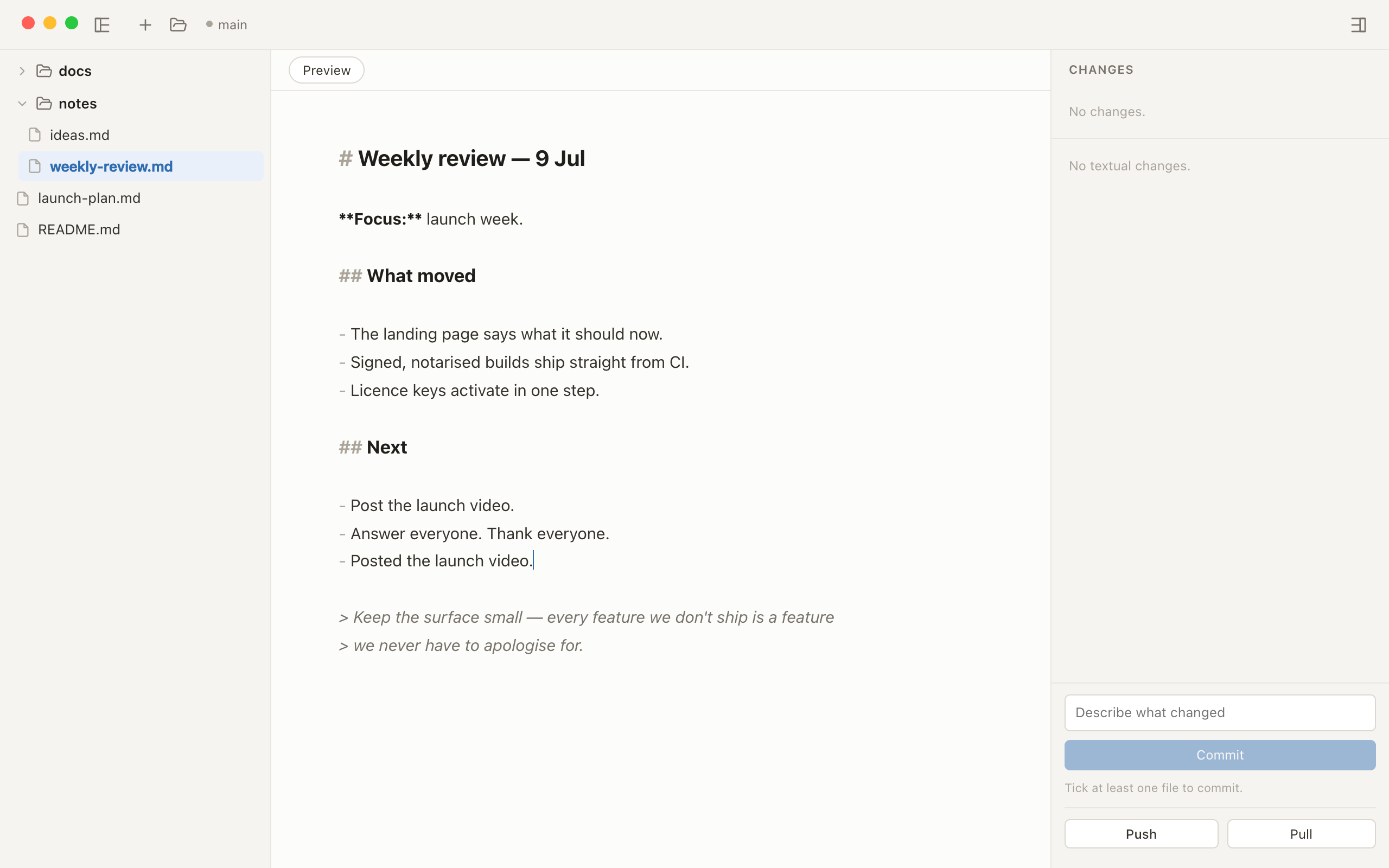
Press ⌘E and the same page becomes gently highlighted source,
in the same reading column. No WYSIWYG, no live-preview surprises.
Commit
It's your Git.
bare just stays out of it.
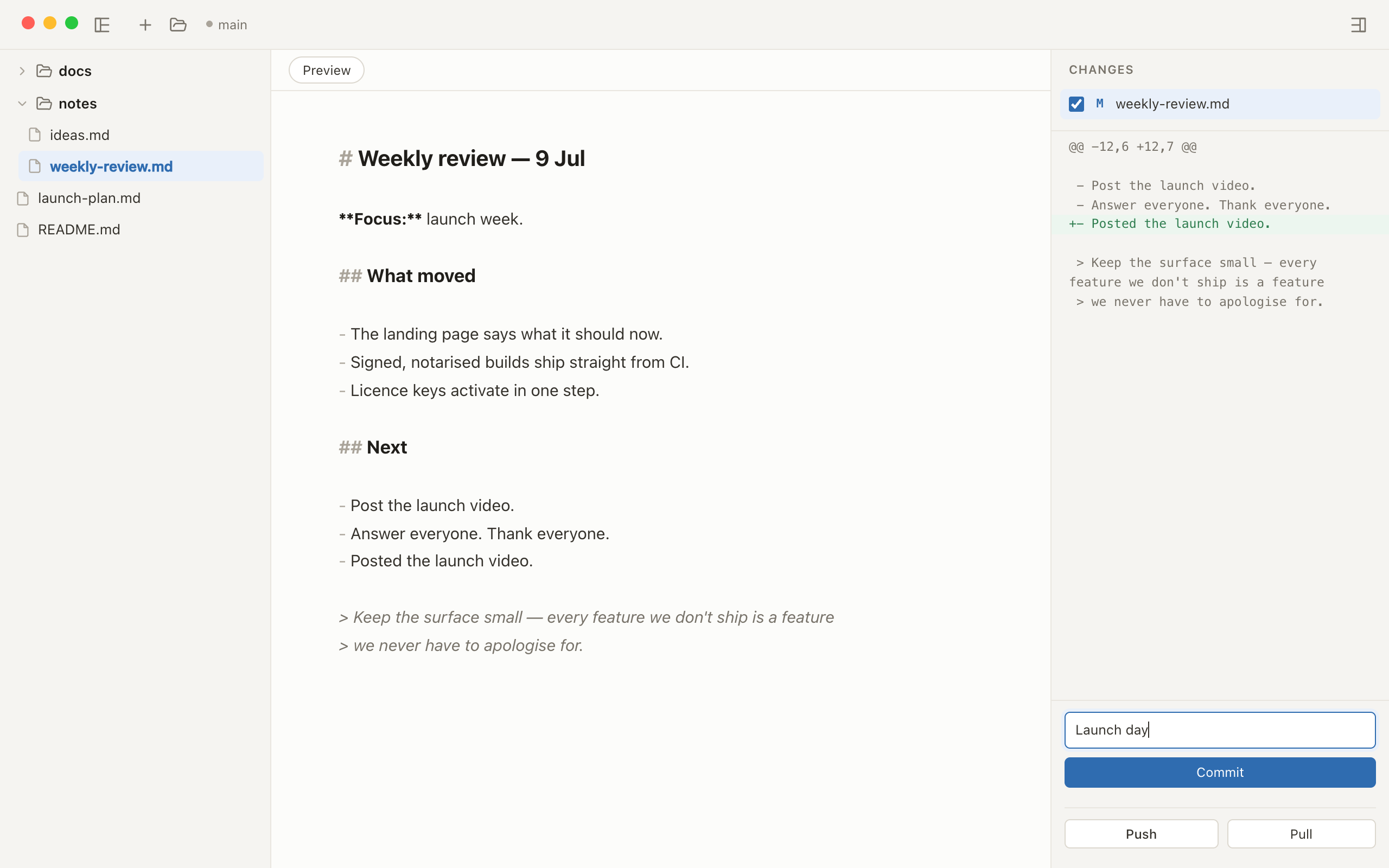
Every save lands in the Changes pane with a readable diff. Tick the files that belong together, write a message, commit.
Push
Nothing lands
without you.
Push when you decide. bare drives the git you've got, so your
keys, remotes and history are exactly as you left them.
- The Git you already have — SSH keys, hooks and remotes keep working, nothing to reconfigure.
- It touches only what you choose — never a blanket
git add -A, never a force-push. - No account, no telemetry. Nothing leaves your Mac but your own
git push.
bare vs. the tools you've been making do with.
Beautiful editors have no Git. Git-capable tools weren't built for writing — or they bury it under a system you never asked to run. bare is the one that's both, and nothing else.
| Capability | bare | Obsidian + Git plugin |
VS Code | iA Writer |
|---|---|---|---|---|
| Beautiful, native macOS app | ✓ | Electron | Electron | ✓ |
| Built for writing, not code | ✓ | ✓ | — | ✓ |
| Git built in — no plugin, no terminal | ✓ | Plugin | ✓ | — |
| Nothing to configure or maintain | ✓ | — | — | ✓ |
| No graph, no vault, no second brain | ✓ | — | ✓ | ✓ |
iA Writer without the terminal. Obsidian without the weight. VS Code without pretending your notes are code.
Want the detail — Typora included, methodology, and honest "pick the other tool" advice? Read the full comparison.
Get bare for macOS.
Try everything free for 14 days — then pay what you want, from $5. One payment, yours to keep. Point it at a real folder and you'll know in five minutes.
Download for macOSFound something rough or missing? Email help@bare.md — I read everything.
v1 — pay what you want, from $5
- One-time purchase — yours to keep. No subscription, ever.
- 14-day free trial — running today — so you never buy blind.
- Free updates forever for v1.
Frequently asked questions
What makes bare different from other Markdown editors for Mac?
Most Mac Markdown editors treat Git as someone else's problem, and most Git clients are built for code. bare is both halves of one small job: a beautiful, native editor for reading and writing Markdown, with the Git you already use right alongside it. No plugins, no graph, no vault — and nothing that treats your notes like a knowledge system to maintain.
Can I edit Markdown files directly in a Git repository?
Yes — that's exactly what bare is for. Open any Git-backed folder and its Markdown appears in a tidy, folders-first tree. Files open as rendered preview, and ⌘E flips to source editing. Every save is a normal file write inside your repo, so nothing about your project or its history changes.
How do I commit and push Markdown changes without using the command line?
Edit and save, and changed files appear in bare's Changes pane. Tick the ones that belong together, read the unified diff, write a message, and click Commit — then Push (or Pull) with one click. bare runs your own Git commands under the hood, so there's no terminal involved.
Does bare work with my existing GitHub, SSH keys, and Git setup?
Yes. bare shells out to the Git you already have instead of bundling its own, so SSH keys, credential helpers, hooks, and remotes — GitHub, GitLab, self-hosted — keep working exactly as they do in your terminal. There's no separate sign-in and nothing to reconfigure.
How is bare different from Obsidian with the Git plugin?
Obsidian is a knowledge base, and Git arrives via a community plugin with auto-sync timers that can surprise you with merge conflicts. bare is deliberately smaller: it never auto-commits, auto-pulls, or auto-merges — you see the diff and choose what to commit. If you want Markdown in a Git repo without running a vault, bare is the simpler tool.
Is bare an alternative to Typora or iA Writer?
For pure writing they're excellent — but Git isn't their job. bare trades publishing extras for the whole Git loop built in: changes, diffs, commits, push and pull. If your Markdown lives in a repository, bare replaces the editor-plus-terminal dance with one window — pay what you want from $5, one-time.
Can I use bare to review Markdown written by AI agents like Claude Code?
That's bare's home turf. Agents like Claude Code leave plans, reports, READMEs and CLAUDE.md files all over your repos. bare gives you a quiet review desk for them: read the rendered result, diff exactly what the agent changed, and commit or discard it deliberately. Nothing lands in your history without you.
Is bare a one-time purchase or a subscription?
No subscription, ever. bare is pay-what-you-want from $5 — one payment, yours to keep, with a 14-day free trial and signed auto-updates. bare is built by one person; the pricing just needs to cover the tools.
Does bare upload my files to the cloud?
No. bare has no accounts, no sync service, and no telemetry. Your Markdown stays in your repo as plain files, and nothing leaves your Mac except your own git push to your own remote. The only network calls bare makes are licence activation and a signed update check.
Which macOS versions does bare support?
bare runs on macOS 12 Monterey and later, as a universal build for both Apple Silicon and Intel Macs. It's a small, native app — quick to download, quick to launch, quiet to run.